
Staffing Operations · Recruitment Technology
Software for Staffing Agency Teams: A 30-Day Migration Plan
A week-by-week plan to move staffing data, protect live placements, train recruiters, and decide when a new recruiting system is ready to go live.
By Ellevva ·
When switching software for staffing agency operations, recruiters risk losing track of an unmapped placement, a client note, or the next interview. The new system may be ready, but the agency's work cannot pause for a data transfer.
Use this 30-day recruitment software migration plan as a controlled handoff, not a guarantee that every agency can migrate in a month. Extend the schedule if data quality, integrations, contractual obligations, or testing require more time.
Key takeaways
- Agree on import scope, test imports, onboarding support, and costs before signing.
- Clean and map records before export, then test relationships as well as record counts.
- Give every live placement an owner and a documented next action throughout the move.
- Run a limited parallel period with explicit rules about which system recruiters update.
- Complete the full import and reconcile it before making the go-live decision.
At a glance
- Proposed timeline: Four weekly phases, followed by a conditional go-live decision.
- Critical records: Candidates, clients, contacts, jobs, submissions, placements, notes, and relevant documents.
- Continuity rule: Keep access to the old system until active work and retained records have a verified destination.
- Decision owner: Name a migration lead who can delay the switch when a critical test fails.
- Scope note: Large archives, complex integrations, or compliance review may require a longer schedule.
What should you ask a software for staffing agency vendor before signing?
Ask the vendor to specify implementation responsibilities before agreeing to a cutover date. A product demonstration cannot show whether your historical submissions, placement relationships, and recruiter permissions will import as expected. Written answers establish what the vendor will do, what your team must prepare, and which records need an alternative destination.
Send a sample of your record types and a diagram of a typical placement. Request written answers to these questions:
- Import scope: Which candidates, client accounts, contacts, job orders, submissions, placements, notes, attachments, and custom fields can move? Which require an archive or manual entry?
- Method and ownership: Who extracts, cleans, maps, uploads, and validates the data? What file formats and identifier fields does the import accept?
- Testing: Can you run a sample import before the full import? Who investigates failed rows, broken relationships, or unexpected field values?
- History and access: Will note authors, status dates, candidate-to-job links, and appropriate access restrictions remain usable?
- Integrations: What must be reconnected for email, job boards, timesheets, payroll software, or a vendor management system (VMS), a client platform for managing contingent workers?
- Support and price: What does recruiting software onboarding include? Who is the implementation contact, when are they available, and which migration or training tasks cost extra?
Ask for an import specification, named responsibilities, and a defect-resolution process. If the vendor cannot confirm a critical placement field, plan another handoff for that information before committing to go-live.
Week 1: How do you build an ATS data migration checklist before export?
Week 1 is for inventory and decisions, not a bulk upload. An ats data migration checklist should identify every record type, its owner, its retention decision, and its intended destination. That inventory exposes unsupported fields and missing relationships while the team still has time to resolve them.
An applicant tracking system (ATS) stores recruiting activity such as candidate profiles, applications, and pipeline stages. Agencies may also store client activity in a customer relationship management system (CRM). Inventory both systems, plus the files and spreadsheets recruiters use outside them.
- Inventory and secure exports. List record types, source systems, attachments, and stable identifiers. Confirm export access and store extracts where only the migration team can use them.
- Decide retention and destination. Ask operations, legal, and the data owner what moves, what stays in a controlled archive, and what must be deleted under applicable policies. Do not set an arbitrary age cutoff.
- Standardize source fields. Review stage names, recruiter assignments, dates, phone formats, and client labels. Flag possible duplicate people for human review rather than merging them automatically.
- Map fields and relationships. Pair each source field with a destination field and record necessary conversions. Include links among a candidate, job order, submission, and placement, not just each record in isolation.
- Protect active work. Create a separate live-placement register with the recruiter, client, candidate, current stage, next action, due date, and source record IDs.
Before Week 2, obtain agreement on the field map and identify a small but representative test set. Include a placement with a note, an attachment, and a client contact so the test exercises more than simple profile import.
Week 2: How do you test an import without interrupting live placements?
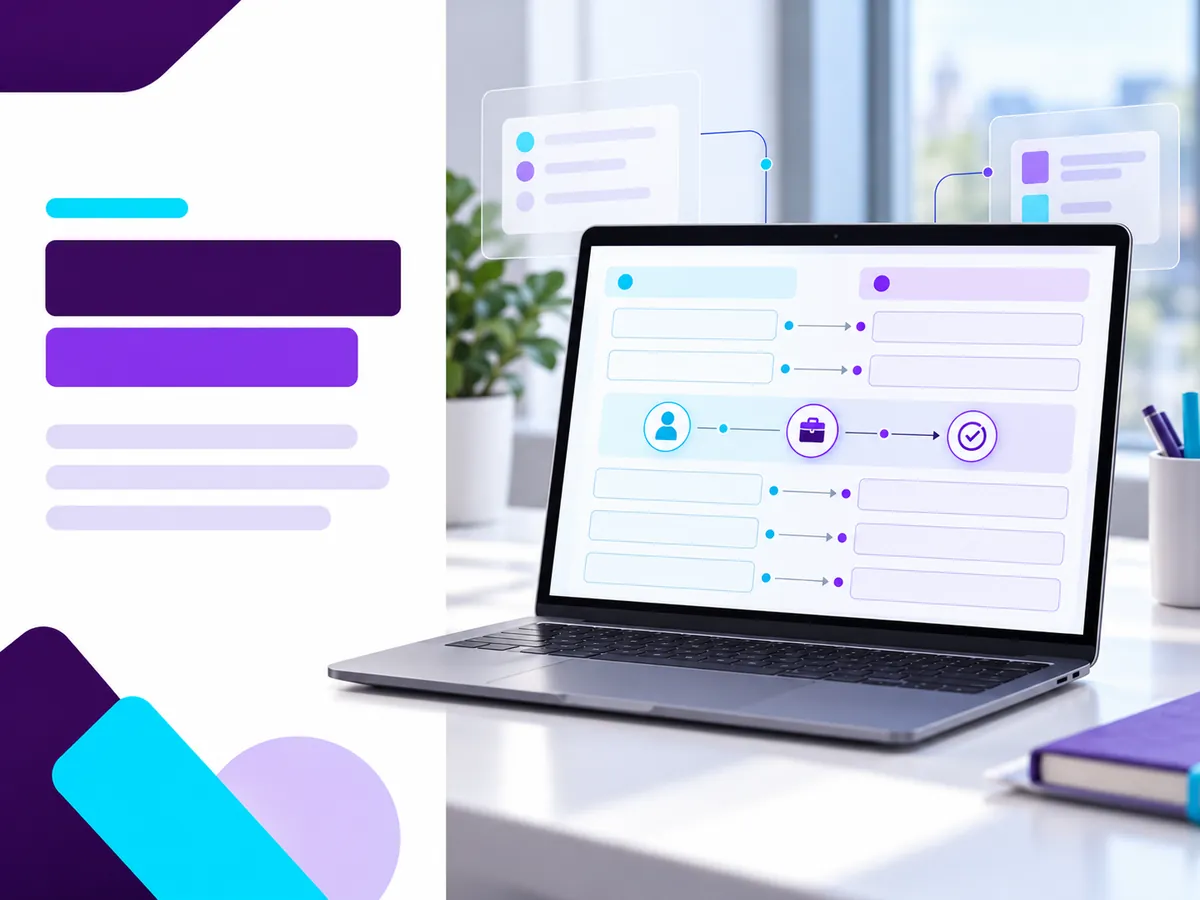
Import a representative sample into a test environment in Week 2, then inspect individual records and their connections. Keep the old system authoritative for active recruiting. The goal is not a reassuring import-success message; it is evidence that recruiters can find the right candidate, client, job, and next action.
Select examples that cover common and difficult cases: a candidate linked to several submissions, a placement approaching its start date, a client with multiple contacts, and a record with restricted access. Compare source and destination values, document every exception, and repeat the test after correcting the mapping.
- Reconcile counts: Compare source and imported counts by record type, then investigate exclusions and failed rows. A matching total does not establish that relationships survived.
- Trace complete workflows: Open a job, follow its submissions to candidate records, and confirm that notes, documents, owners, and relevant dates are accessible.
- Check permissions: Test what a recruiter and a manager can each see. Escalate records that appear under the wrong account or to the wrong role.
- Log defects: Assign each issue an owner, severity, proposed fix, and retest date. Separate a cosmetic label problem from a missing offer or incorrect client association.
For example, imagine a recruiter has an accepted offer and a start date next week. The candidate profile might import successfully while its placement link does not. The live-placement register keeps that start date and owner visible while the team fixes the relationship and retests it. Do not close the defect merely because the candidate is searchable.
Week 3: How can recruiters work in parallel without double-entry confusion?
Use Week 3 to rehearse selected workflows in the new system while the old system remains the authoritative record for live work. A parallel run should have a narrow scope, a documented update rule, and daily checks for divergence. Otherwise, two apparently current records can leave recruiters uncertain about which next action is real.
Choose a pilot group and a handful of approved records. If test records or a separate environment are available, use them for workflow practice. If the pilot touches a live record, name one system of record and one person responsible for transferring any approved updates; never assume that both platforms synchronize.
- Practice real tasks. Have recruiters locate a candidate, add an activity note, move a submission through a stage, and find the associated client contact.
- Rehearse the exception path. Ask what happens if a client changes an interview time, a candidate withdraws, or an offer is accepted during the parallel period.
- Keep external communication singular. Confirm which platform sends emails, posts jobs, or triggers notifications. Disable or avoid duplicate actions until the new workflow is approved.
- Train in short sessions. Give recruiters task-based exercises and a one-page reference for unfamiliar screens. Reserve a named support contact for questions during working hours.
- Record friction. Track blocked tasks, time-consuming workarounds, and requests for access. Fix the issues that threaten active placements before broader training.
The search phrase parallel run ats often implies two fully synchronized systems. Treat the parallel period as a controlled rehearsal unless synchronization has been explicitly configured and tested. End Week 3 with a clear list of approved workflows and unresolved blockers.
Week 4: When should the full import and final change capture happen?
Schedule the full import in Week 4, after the sample import and parallel rehearsal have established a workable mapping. Importing is not the final checkpoint: reconcile the full dataset, resolve critical defects, and capture changes made in the old system after the export. Only then should the migration lead consider go-live.
Agree on a cutover window and tell recruiters when routine updates must stop or follow a controlled change log. Take a recoverable export or backup according to your agreements, record the export time, and make sure the vendor and agency teams are available to investigate import failures.
- Run the full import. Load the approved dataset using the tested field map. Preserve import logs, failed-row reports, and the source extract used for the run.
- Reconcile the complete load. Compare counts by type and trace the relationships that matter most: active jobs, submissions, interviews, offers, and placements. Sample archived records as well as live ones.
- Resolve and retest defects. Correct failed rows and broken links, then verify the fixes in the destination. Do not mark a critical issue resolved based on a promised future repair.
- Capture final changes. Identify notes, stage moves, interviews, offers, and client updates entered in the old system since the full-export snapshot. Import or enter those changes through an approved method, and check them against the live-placement register.
- Prepare a fallback. Assign responsibility for communicating a delay and specify where recruiters continue working if the go-live decision is postponed.
Final change capture is especially important if placements continue moving during the cutover window. A candidate who accepted an offer after the export must not reappear as awaiting an interview on launch day.
What are the go-live checkpoints when switching ats?
Approve go-live only when the new system supports the agency's essential recruiting work and the remaining defects have accountable owners. When switching ats, a successful login is not enough: recruiters must be able to follow active placements, contact the right people, and record new activity without relying on an untracked spreadsheet.
Ask the migration lead and workflow owners to sign off on these checkpoints:
- Data: The full import is reconciled; exceptions have documented explanations; final changes are captured and checked.
- Placements: Every in-flight submission, interview, offer, and start date has an owner and a verified next action in the destination or a controlled handoff.
- Access: Recruiters and managers can perform their assigned tasks without seeing records outside their approved access.
- Connections: Required email, job posting, VMS, timesheet, or payroll handoffs have been tested where they fall within the migration scope.
- People: Pilot users have completed representative tasks, know how to report issues, and have support available for launch.
- Recovery: The agency can still access the old system or approved archive, and the team knows when to delay or reverse the cutover.
Use a short post-launch review period to check new submissions and offers against the live-placement register. Close the old system only after retained records and operational handoffs have been verified, subject to your contractual and retention requirements.
What this means for you: how do you protect staffing productivity?
For a staffing agency, productivity during migration means protecting decisions already in motion, not maximizing how many records move on a single day. Give recruiters a reliable place to find each active placement and a clear rule for recording updates. Let the migration lead handle exceptions instead of asking every recruiter to improvise.
A useful daily check is simple: review the live-placement register, confirm upcoming interviews and starts, and assign any missing update to a named person. After launch, ask recruiters which tasks still require the old platform; those answers help distinguish a training question from a data or workflow defect.
A clean workflow from first signal to final outcome. (Ellevva, undated)
Share on LinkedIn · Share on X
Ellevva describes its hiring approach in terms of ATS workflows and pipeline visibility (Ellevva, undated). If you are considering new software for staffing agency teams, use the questions and checkpoints above to evaluate how any proposed system would fit your migration. Explore Ellevva's hiring solutions and ask for a demonstration using your own placement workflow.
Sources
- Ellevva. Hiring systems for teams that need speed and control, Solutions page, undated. Source for the quoted workflow description and the limited description of Ellevva's hiring approach. The migration steps above are a proposed operational plan, not claims about Ellevva's implementation services.
FAQs about staffing software migration
How long does recruitment software migration take for a staffing agency?
This plan allocates 30 days, but the appropriate timeline depends on data condition, import scope, integrations, and testing results. Delay the cutover if active placements or critical records cannot be verified.
What data should an agency export before changing its ATS?
Inventory candidates, clients, contacts, jobs, submissions, placements, notes, documents, and the identifiers linking them. Have the responsible data owners decide what should move, remain in an archive, or be deleted under applicable policies.
Should recruiters use both systems during the transition?
A limited parallel period can help recruiters practice, provided one platform remains the authoritative record for each live workflow. Document who transfers updates and prevent duplicate emails, job postings, or client contact.
What should an agency ask about vendor onboarding before signing?
Ask for written import specifications, a sample-import process, named responsibilities, training arrangements, support availability, and any extra fees. Confirm how failed imports and broken placement relationships will be corrected and retested.
Related resource
Tags: software for staffing agency, switching ats, recruitment software migration, ats data migration checklist, recruiting software onboarding, parallel run ats